November 28, 2026
Lone Worker Alarm or Personal Safety App for Field Staff?
By @workplaceresponse
Field staff often work beyond the sight of a supervisor. They may drive between sites, enter properties, visit rural blocks, work late, or move through public places where a phone call is not always practical. A lone worker safety alarm and a personal safety app can both support that work, but they solve the problem in different ways.
The useful question is not which option sounds more advanced. It is what needs to happen when a worker is distressed, injured, delayed, or simply unable to confirm they are safe. The right choice usually depends on the work environment, the level of risk, and how quickly a response contact can act.
What a dedicated alarm does well
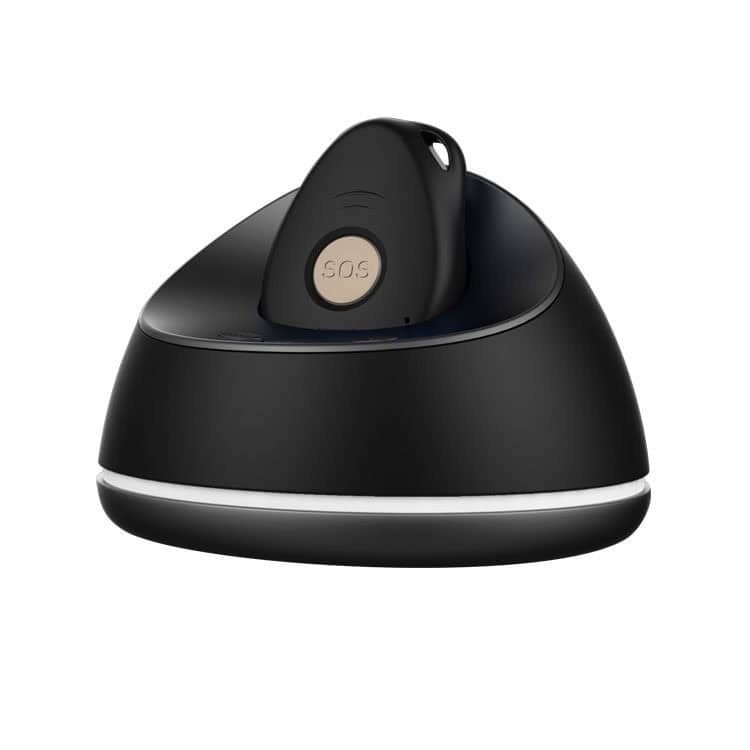
A wearable lone worker alarm is built around a clear action. The worker presses an SOS button, or the device detects a serious event such as a fall or a worker who has stopped moving when that feature is available. Some options support GPS location and two-way voice, which can help a response contact understand where the person is and what has happened.
That focus matters. A dedicated device can be easier to use when a phone is in a pocket, a bag, or a vehicle. For some roles, a device worn on the body is also easier to find than a phone during a stressful moment. In workplace contexts where man down and fall detection alerts are part of the safety plan, a purpose-built alarm may fit more closely than an app that relies on a handset being close by.
The trade-off is that a dedicated device needs to be carried, charged, and included in daily routines. If workers leave it in the ute or treat it as another item to remember, its value drops. Any rollout needs clear rules about when it is worn, who receives alerts, and what happens after an alert is raised.
Where a personal safety app fits
A personal safety app uses a phone the worker already carries. That can make it simpler to introduce, especially for teams that already use smartphones for maps, job details, photos, and messages. Many apps can share location, start a timed worker check in, or send an alert from a screen. For lower risk visits, or for staff who are comfortable managing their phone throughout the day, that may be enough.
The limits are mostly practical. A phone can run flat, lose signal, be left on silent, or stay in a vehicle while the worker steps away. App alerts may also depend on settings being switched on and notifications being noticed. In a noisy, wet, dusty, or physically demanding job, pressing a small screen may be harder than reaching a dedicated button.
An app can still be part of a sensible arrangement. It may suit office based staff who make occasional site visits, or teams whose hazard assessment shows low exposure and reliable communication. It becomes less convincing when the worker may be unable to reach the phone, or when the job involves lone work in places where a quick response is critical.
The role of the wider safety plan
Neither option works on its own. A lone worker safety alarm is one control within a broader emergency procedure. Before choosing a tool, it helps to look at the actual work pattern. Where do staff go? How far are they from help? Can they be overheard? Are there visitors, animals, machinery, weather, terrain, or health risks? What happens if they do not return at the expected time?
Those questions shape the choice more than the feature list. A worker moving between urban appointments may need a simple way to raise help and share GPS location. A worker in a remote area may need two-way voice so a response contact can gather details while help is arranged. A worker at risk of a fall may need fall detection alerts rather than relying on the person to call for help.
Sites such as loneworkeralarms.co.nz focus on wearable alarms for New Zealand workplaces with SOS, GPS location, two-way voice, man down and fall detection alerts. That kind of tool is designed for situations where the person may need a direct, wearable way to signal trouble. It still needs a clear process behind it, including a response contact who knows what to do when an alert arrives.
Comparing day-to-day use
Think about a normal shift, not only the emergency. A device that is comfortable and easy to carry will be used more consistently. A phone app that is already open for work tasks may feel less intrusive. The best option is usually the one that fits the way staff already move through their day.
Shift monitoring also changes the decision. Some work has a predictable route and check-in times. Other work is fluid, with unscheduled stops and changes in location. If a missed check in is the main warning sign, the chosen tool needs to make those checks easy and visible to the right person. If an immediate SOS is the main need, the alert path should be as short as possible.

Training matters in both cases. Workers need to know when to activate an alert, what information to give, and what to do if they can speak but cannot move. Supervisors need to know how to respond, when to escalate, and how to avoid treating alerts as routine noise. A tool with strong features can still fail if nobody practises the response.
Feature fit without overcomplicating things
More functions are not always better. A simple alarm with an SOS button and dependable alerting may be more useful than a complex system that staff do not understand. On the other hand, if the hazard assessment points to falls, silent incidents, or remote locations, extra functions may be the reason the system is worth having.
Useful questions include:
- Can the worker raise an alert without unlocking a phone?
- Can a response contact see GPS location quickly?
- Is two-way voice useful for this type of work?
- Are man down and fall detection alerts relevant to the risks?
- Will the device or app be used on every shift, not just difficult ones?
Connectivity is another practical point. GPS location can help describe where a worker is, but it does not replace communication. Signal may vary by area, and location information should be treated as a guide rather than a perfect answer. Where work takes place in isolated areas, the emergency procedure should include what happens if contact is lost.
Choosing for different kinds of field work
For short, low risk visits in well covered areas, a personal safety app may be a reasonable starting point. It keeps the setup light and gives workers a familiar way to check in or call for help. The arrangement should still include a named response contact and a clear expectation about what staff do if their phone is unavailable.
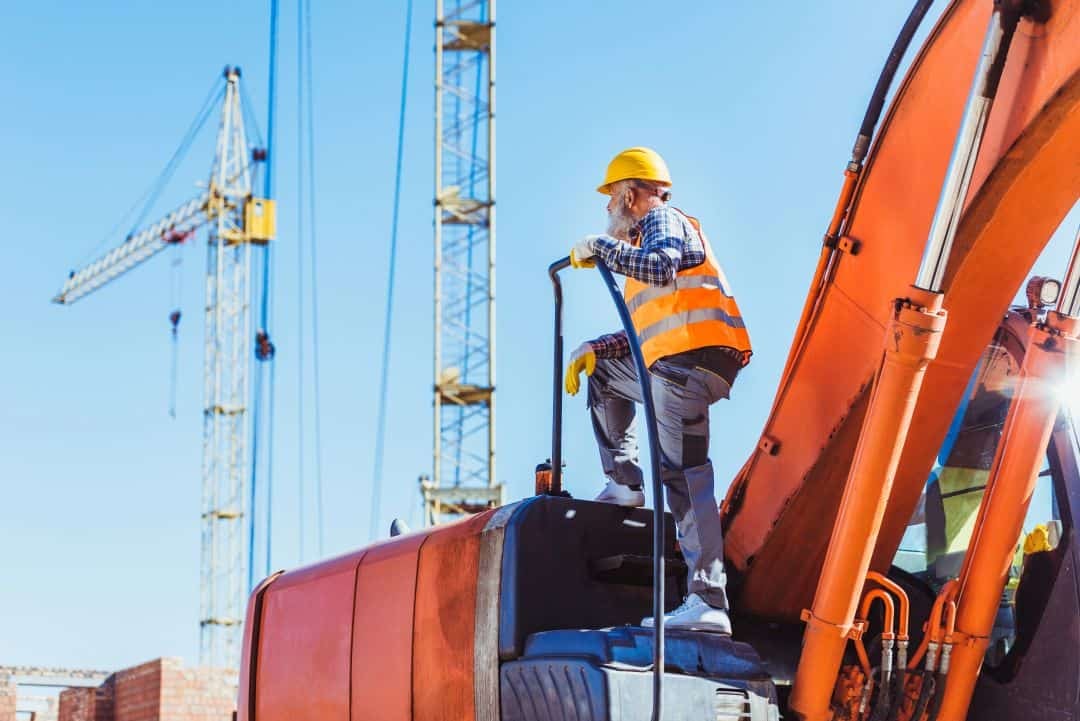
For higher risk work, a wearable alarm often makes more sense. That includes roles where a worker may be injured, unable to speak, separated from their phone, or working where a rapid alert is more important than convenience. SOS buttons, two-way voice, GPS location, man down alerts, and fall detection alerts all become more relevant as the consequences of delay increase.
Some workplaces use both. An app may support routine worker check in, while a dedicated alarm handles urgent alerts. This can work well if responsibilities are clear. If two systems send alerts to different people, or if staff are unsure which one to use, the arrangement can create confusion at the worst time.
What to settle before rollout
Before deciding, agree on the conditions the tool must handle. Write down the main risks, the places staff work, the hours they work, and the actions that follow an alert. Check that the person receiving alerts is available and authorised to act. Make sure the emergency procedure covers lost contact, injuries, and situations where the worker can hear but cannot speak freely.
Then match the tool to those needs. A personal safety app suits teams that can rely on phones and need a straightforward check in or alert function. A dedicated lone worker alarm suits roles where a worn device, direct SOS button, GPS location, two-way voice, man down and fall detection alerts give a stronger safety net. The decision is less about technology labels and more about whether help can be raised, understood, and acted on when a worker needs it.
A final practical check is to imagine the least comfortable version of the shift: poor weather, low battery, a phone out of reach, a delayed return, or a worker who cannot press a screen. If the chosen setup still gives that person a clear path to help, it is more likely to be useful in real conditions.
❧